Tracking Completion of Curriculum (on mobile)
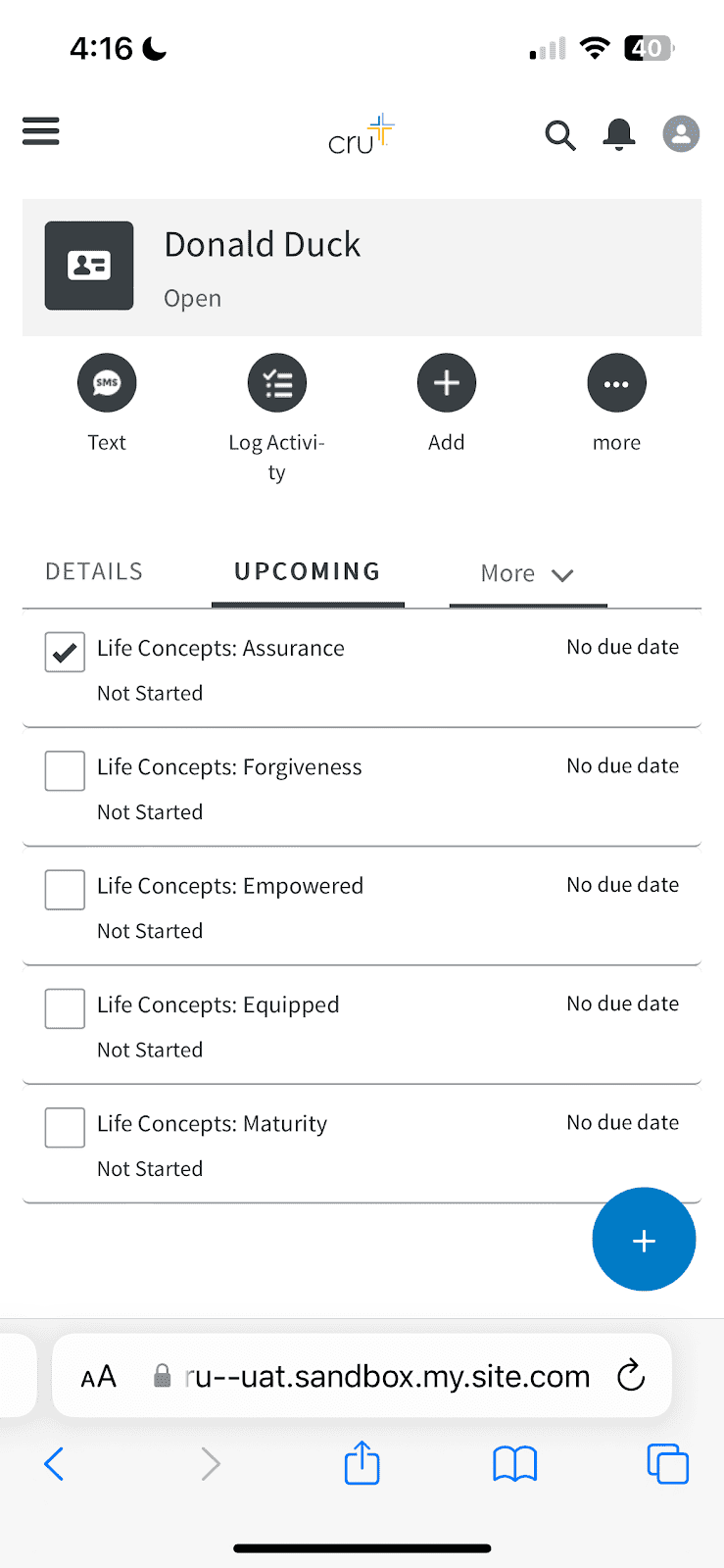
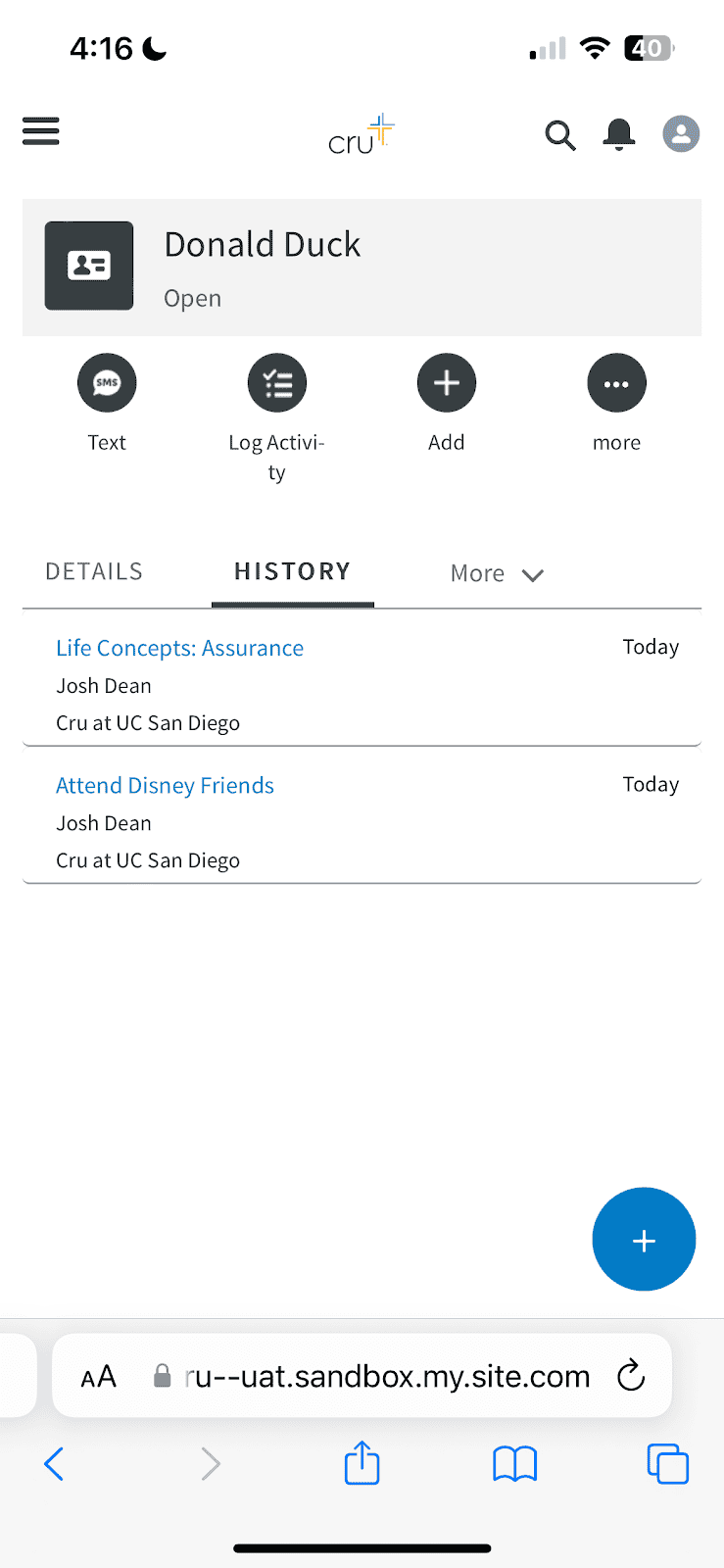
For a contact, this is simple. Go to the “Upcoming” tab and click the checkbox to complete the plan task. The task is found under the “History” tab.
*This checkbox feature is only available on mobile
Tracking Completion of Curriculum (on desktop)
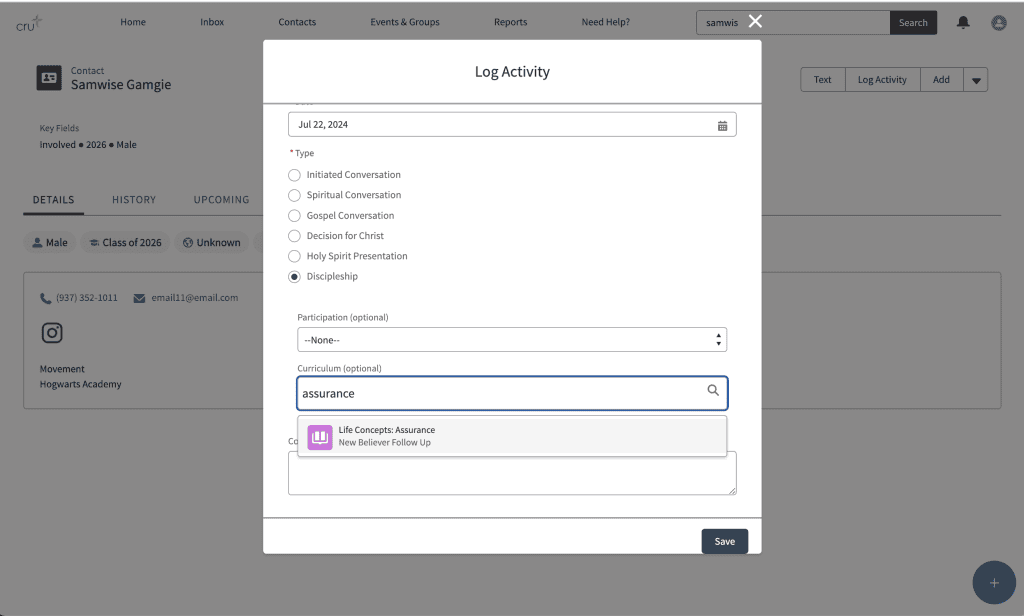
On a desktop, you click “Log Activity”, select discipleship and search the curriculum for the lesson you want to complete.
Tracking Completion of Curriculum for a group
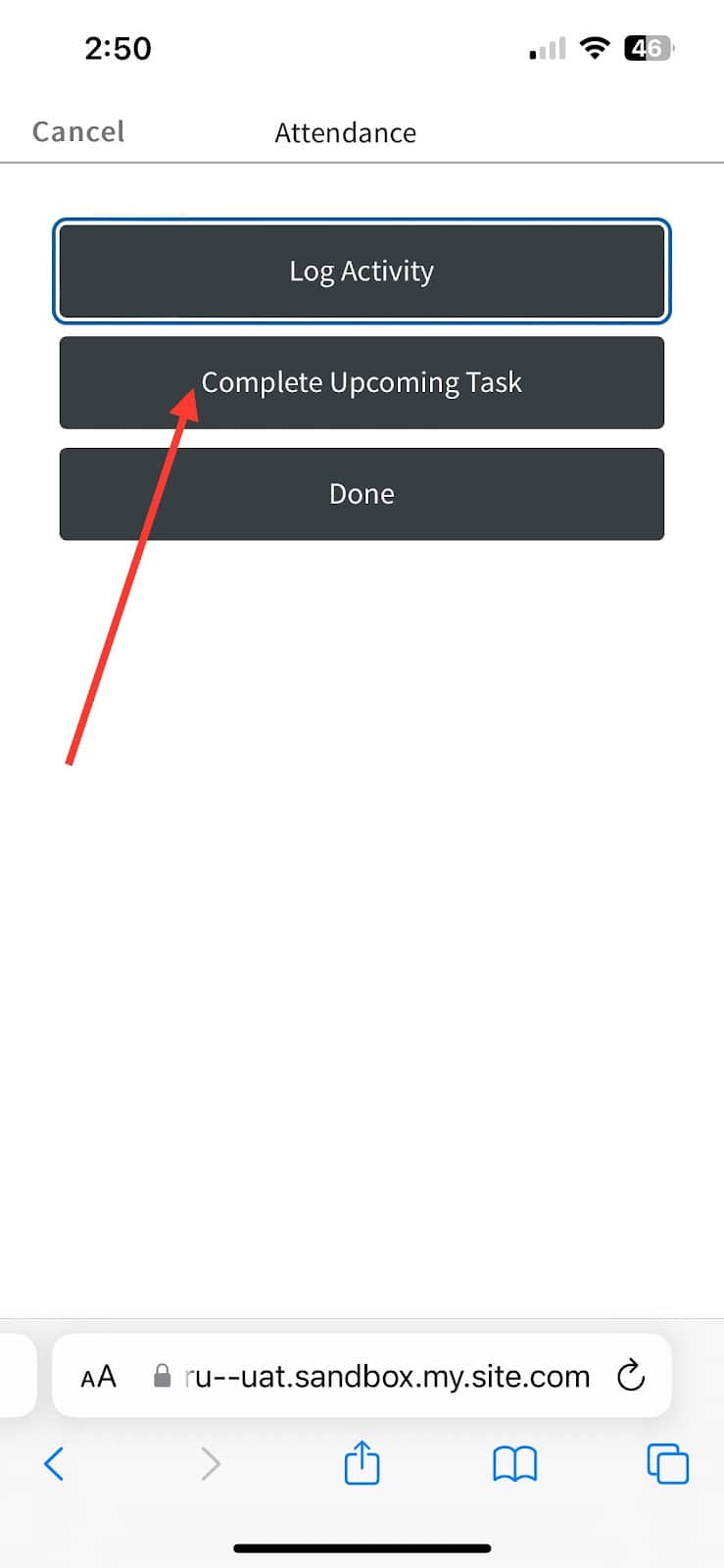
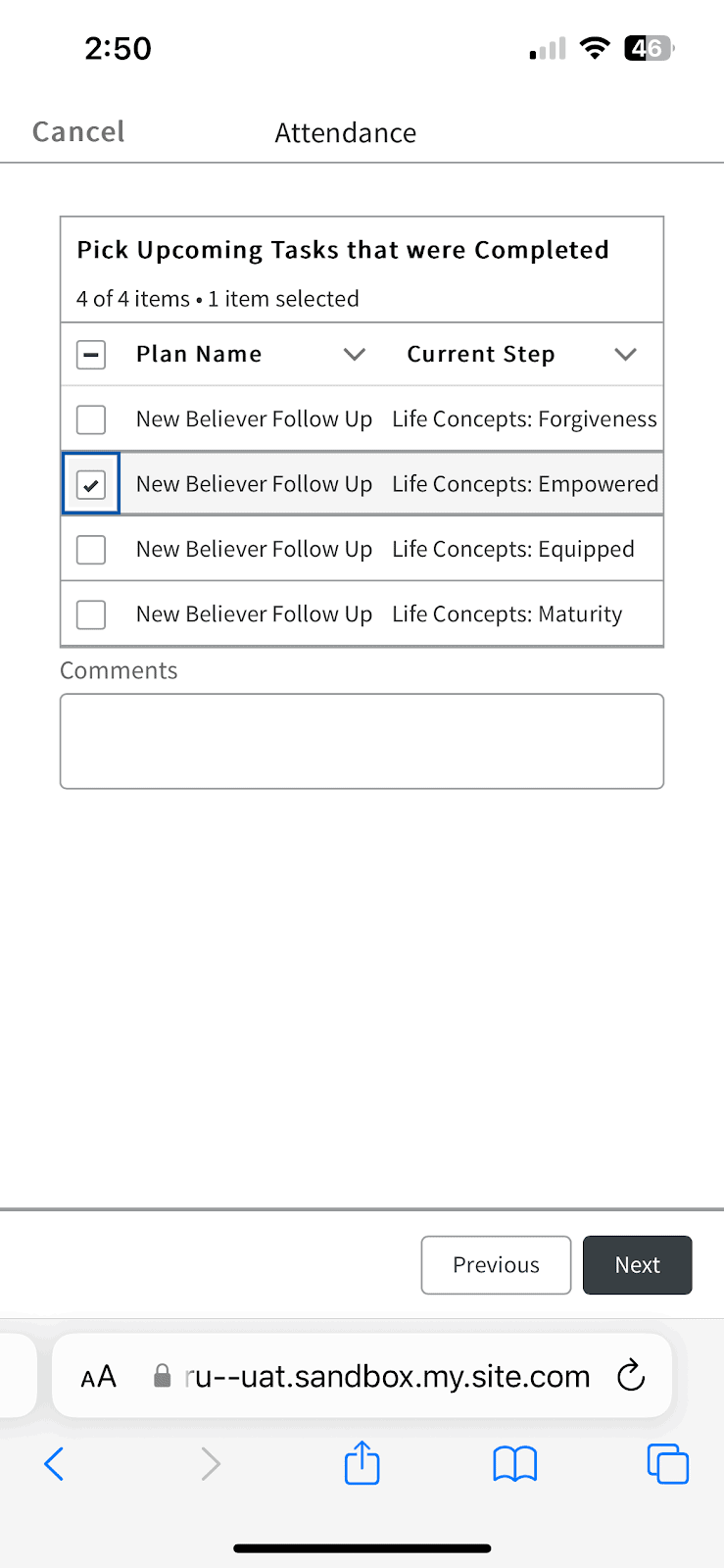
Completing a plan task for a group has a few more steps because you need to choose which members you want to complete the plan task for. Log attendance once you’re in the group. After you select who was present, select “Complete Upcoming Task”, then you’ll have the option to choose which tasks you completed. Connections will then complete the task for the group as well as for every Contact you marked as attended.